|
|
A CHRISTMAS MIRACLE · 27 DECEMBER 2022
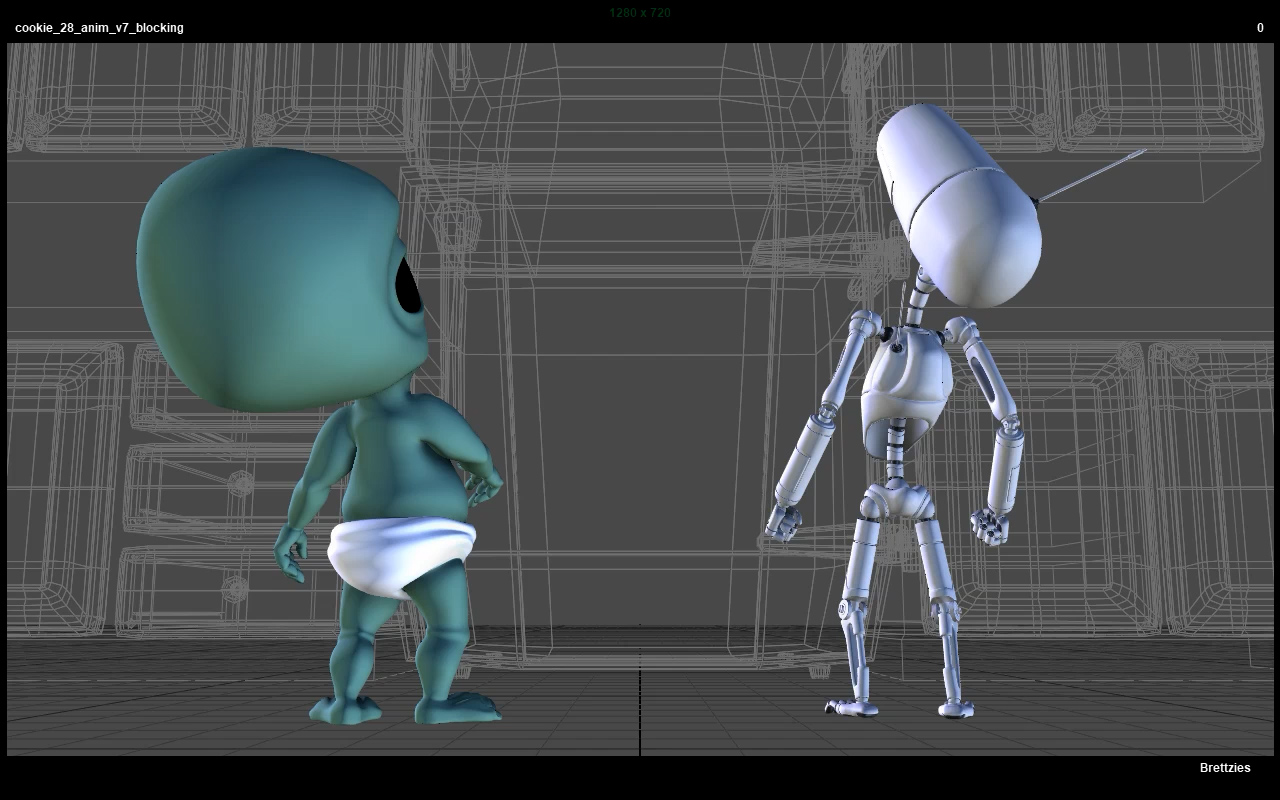
Trying to push myself to keep working on this. Always a struggle since the only time I can really have a balance of motivation and time is when I’m not doing regular work. Even though this is largely just for fun, it’s still a good amount of time and effort, so it’s a small miracle to be getting another shot blocked in. I had to update a space constraint script I made for adding multiple “parents” to objects since the maya long name with bars in between hierarchy objects was causing the attribute to not connect to the constraint. Wasn’t too difficult to fix, but things like that always slow me down and take away from just animating shots. However, I always feel like it’s best to fix those edge case bugs when they come up or they just get forgotten until the next time. Started blocking the next shot and will probably try to animate it by the end of the week. Though, I am trying to keep a healthy balance of rest and personal work while I have a few weeks off.
CHRISTMAS SHOTS · 22 DECEMBER 2022
October and November were a bit of a bust even after all the rig updates I made. Trying to get back into the swing of things while I have some free time. Went back to the last shot I was working on. I had been putting it off because it was just a reaction shot and didn’t seem all that interesting, but I tried to power through it. Ended up removing the last pose on the Robot and just had him do a weight adjustment towards the end of the shot which I kind of like the way it turned out. It seemed to work better than having him react again, but that was originally there to hook up with Shot 30. I’ll have to come up with something to make them work together now, but that shouldn’t be too hard assuming I don’t wait two years to get to it!
RIG WRECK · SEPTEMBER 2022
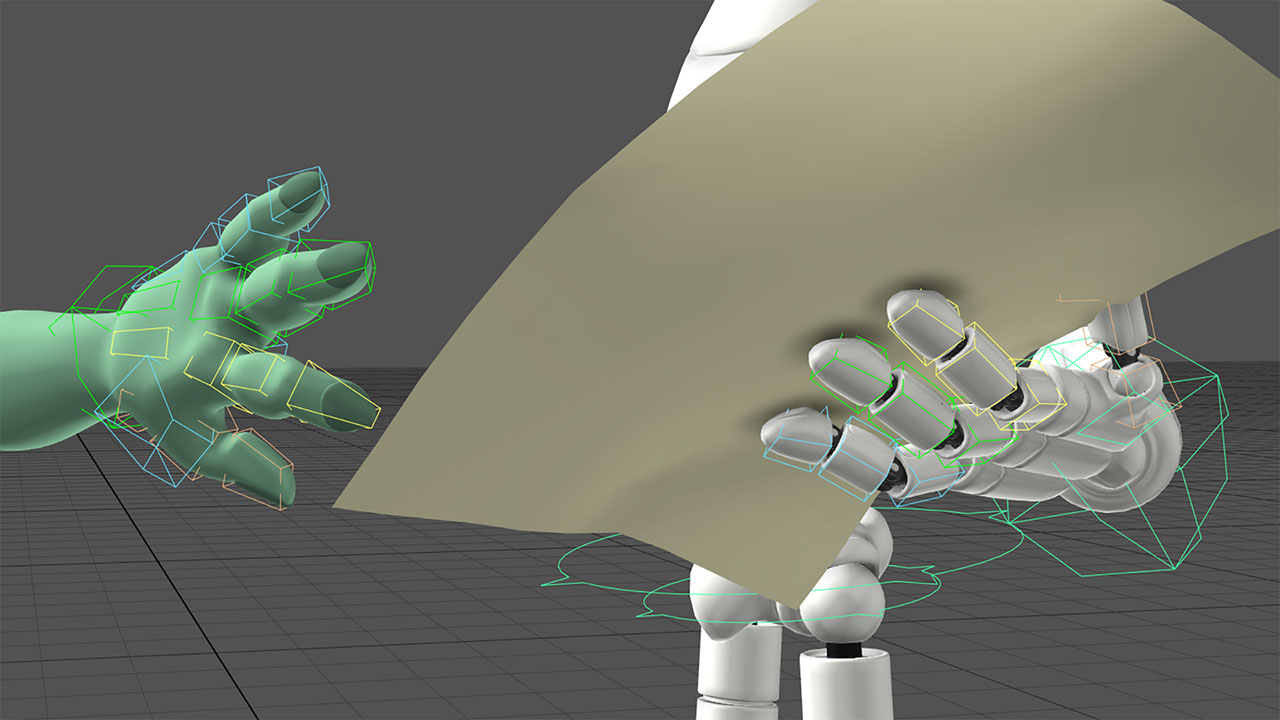
I’ve been working on this quite a bit since the last entry, but I didn’t really want to make individual entries for each thing I did since it was all a bit tied together. Unfortunately, something happened which I feared might. When I decided to add finger ctrls, I went down the rabbit hole of just fixing everything I had noted last year about the two main character rigs. Here are some of the updates I’ve been working on: ·Finger Ctrls ·Space switching for world FK Arm, Head, and Chest ·Proper mirror behavior for FK Arms ·Tool to transfer Single Node to individual Finger Ctrls ·Tool to fix broken thumbs ·Tool to fix broken Arms ·New Bigger Picker ·Added buttons on the picker to update it ·Added Arm FK/IK visibility per limb ·Updated all anim scenes with new rigs The finger ctrls were not too hard to add, and even the transfer script was fairly straight forward. However, since the thumbs weren’t mirrored correctly on my old rigs, I had to spend a good amount of time ensuring that I could transfer the animation curves without losing the pose. This was a bit tricky because transferring anim curves doesn’t work if there aren’t any, so you have to add exceptions to just transfer attr values instead, and on some scene I used the attributes to animate the thumb as opposed to xyz rotations(which I added sometime in late 2010 I think). It took a bit of time, but I got it working correctly for just replacing the rig as well as transferring the animation to the new individual ctrls if desired. In one of the chars, I had to add a locator that just sort of mimicked the old thumb orientation and behavior so I could retain that info in the new rig and then match the new mirrored thumb to it. After that I decided I may as well hit some of the other things on the list I made, hoping it wouldn’t be too bad. First up was adding world space rotations for the FK arms, chest, and head ctrls. This wasn’t too hard and went quickly for the arms. I did have to decode my rig since I hadn’t done much surgery on it in quite some time. I’ve learned many things since first making these rigs, and scratch my head at some of the stuff I did previously, but all I could do was update a few things to get my new functionality working. Unfortunately, this did cause some strange issues with zero value ctrls even if they had a parent node inheriting their original value. A bit mind boggling at first, as it would put the head completely out of place if I zero’d the values like the default pose, or a spine ctrl would be slightly off since I had to insert nodes for world space switching. I finally found the issue that went back to the local pivot(which is not keyable), changing its values when a reference is replaced and generating some failed ref edits. Once I found that I was able to add a fix to my finger update script, even though it was not related to the fingers, I just kept all the fixes in one place. I then decided to update my picker to be a bit larger as well as add buttons to switch to these new modes for the arms, chest, and head. It’s not really that time consuming, but all of this is going over two characters that share similarities, but also have very different spines and clavicles. You end up breaking small things like visibility ctrls no longer working or adding more per limb, etc. The last thing on my rig list was the fact that the FK arms weren’t mirrored correctly. A few things were, but overall, it was very inconsistent. This isn’t a huge problem, but it’s something that always bothers me on rigs. I wasn’t quite sure if I wanted to attempt fixing this because it meant further analyzing how I built these. Fixing the animation, I didn’t think would really be bad because I already wrote a script to flip anim curve values per axis and in the end, all I was doing was reversing values. In theory that sounds great, but when you do this much surgery on something, it breaks in ways you can’t predict. I did the Alien first because it was just his wrist that were not mirrored correctly, but later I ended up doing his clavicle translation ctrls as well. This was another case where the local pivot would move when I replaced the old rig with the new one and left me scratching my head for a bit. I finally figured that out and moved on to the Robot. This was much more complicated since his arms have an extra ball joint connected to the torso and then a translation style control which it aims at. Both of these can be used together to pose the arm. It wasn’t too hard to get it working, but it was like relearning how I set the arms up to begin with and I had to take notes on what was constrained to what as well as what type of constraint, orient, point, parent, or aim. And of course, once I go the behavior correct, updating to the new rig broke the animation in ways I didn’t expect. Most of the issues went back to the local pivot and failed ref edits that I just needed to delete to get the arm back in place before reversing certain axis. I finally got all that working about a week ago and had been putting a small set of commands to update the picker, load in each new rig, fix all the issues associated with the fingers, spine, and new arm behavior as I went. I tested it each time I made a major change and had to add a few buttons to the picker which could fix these issues one by one as well, since I may have scenes in the future that used old rigs. I was preparing all this because once I got everything working, I’d have to go back and update all the old animation scenes. This wasn’t 100% necessary since they could just use the old rigs, but I prefer everything to be working on the current production rigs if possible. So just now, I spent about an hour loading the last file from each animated scene so far, updating the rig, applying the fixes, creating a new playblast, and saving out a new file. That part went very smoothly since I’ve been testing things as I went. Originally, I thought I might just update and fix the fingers first and then decide whether or not to add the space switching stuff or mirrored arm ctrls. In the end, even though it derailed animation production, it felt like it would be more efficient to add everything I want to the rigs now while I was mucking about in them or I may have to relearn what was connected to what, etc, all over months(or in my case, years) from now. One character isn’t so bad, but when you’re dealing with two and they have enough differences in them, it’s quite time consuming. This is probably the longest blog post I’ve made about this project. I may do a video on the process I just went through, since it can be easier to just talk about this stuff and show examples instead of trying to get screenshots together and explain it in writing. I’m not quite sure how I want to go about that at the moment since it’s yet another process to undergo. This website and blog were intended to be quick ways to document progress on this project, but even that can end up being a bit tedious at times like this.
FINGER PAINTING · 14 AUGUST 2022
I was thinking that I should try not to get bogged down by working on things other than the animation since that is the biggest task right now. I didn't want to stop to fix things on the rigs or try out a new renderer, convert things to work with Unreal(which I'm thinking of doing), or just anything that gets in the way of progress. However, since I made these rigs so long ago, and even though I've made updates here and there, some things I know I could make better. When I started working on this again last year, one thing I forgot was that I never made individual finger controls. I basically just have one node per hand that controls each joint. Over the years with work projects, I've learned that I don't really care for that method anymore and prefer to just directly pose each finger control. It can be a bit slower, but is just more flexible overall.
So of course, I decided to spend the weekend adding finger controls to each joint on each character. I've done this before on various projects, and the trick is to leave the current controls in tact so that they don't break existing animations. On the Alien I 100% did that, but for the Robot, I noticed his splay and thumb controls are opposite on the right hand. I could have just left it alone, but that broken mirror really bugs me, so in addition to adding finger contorls, I also fixed the problematic ones on the old system. However, this means I had to make a little script to fix any previous scenes I want to put this rig in. Just a simple script to reverse those animation curves on the controller if they exist, and if not, just reverse the value instead. Not too difficult, and it seems to work on my test scene. I've added a button on the picker to quickly update older scenes but should probably batch convert this to be safe.
Still a few more things to do for the fingers first. I will probably update previous scenes with the new rig version - at least anim scenes. However, I still have to update the picker and create a trasnfer script to zero out the old single node style and put their values on each individual control. That's not 100% essential, but it is nice to have when you go back to an old scene and want to work the "new" way. Technically the new finger ctrls are additive, meaning they can work on top of the old ones like "tweak" ctrls, but that can get very confusing. Even though I don't want to get bogged down with rig fixes, while I'm at it, I want to add world space switching to the head, neck, and fk arms. Possibly the torso as well.
ANIMATING · 7 AUGUST 2022
Trying to keep this project going. I'm actually retro-writing this entry since I did this work last week. I did a tiny bit in July, adjusting the blocking and fixed a repoNode script that lets me realign the placement node without affecting the controllers, such as world ik, etc. Othewise just did a bit of splining on the Alien character. I think I mentioned this before, but a lot of this website is super manual entry despite the amount of automation going on. Probably should have made it easier to update these things. Usually I just copy and past bits of html and then adjust them, but it still take a bit of time, especially when I have huge gaps between updates.
BACK AT IT? · 26 JUNE 2022
Vacation came and went and now it's almost the end of June already! I did work on this project last weekend a bit. Shot some reference of myself for this shot. Something I almost never do, but decided to anyway. Usually all I do is act out the scenes myself and then try to feel how my body is reacting to a certain pose, but it does help to have a video recording of this as well. These type of shots are not gong to be 1:1 with reference in most cases and I tend to change things once I see it from the camera, but might try doing this moving forward. Blocked in the robot today. I was really dragging my feet on him because it's just a "reaction" type motion, but it's still important to have somethng appealling. I thought about jumping around to do a shot that might be more "fun," but ultimately decided to keep in sequence so I can see more progress from shot to shot. Part of what holds me back from working on this project is that I sort of know it's not going to be amazing by today's standards but since I still have the desire to make it as good as possible, the thought of how much work that will take is paralyzing. It's like, if I don't work on it, it can't be bad...or good, but if I do work on it, it may not come out like I envisioned and end up being bad. At this point, I have to tell myself to just get it done or at least moving, and worry about polish or making it better once all of the animation is done. What's that saying, "perfection is the enemy of progress."
VACATION? · 31 MAY 2022
No work was completed during this year so far. I feel like everytime I get around to looking at this project, so many months or even years have gone by, that I spend time just updating the logs with...nothing! Despite my desire to finish this project, whenever I get some freetime, it's very difficult to sit down and work on it. It's not like the animation is that difficult, but it is very hard to start. I'm not really sure why, I guess I just don't have the drive I once did, combined with getting distracted with games or just wanting to not be working since my normal day job is doing this type of work. It makes me sad because I feel very lazy for not finishing at least the animation at this point. I've been on vacation for a little over a week now, and have been trying not to beat myself up for not working on this, but it still feels bad. I even setup a NAS so I can access this project from almost any computer anywhere in the world as long as I map the drives accurately and can access Maya. Got everything set up and working, but I just don't have the energy or something to put some time in. I've always been that way though. I have a hard time starting a new shot, project, etc. Once I get going, I'm pretty good, but that starting part always holds me back. The problem with a short film is that each shot feels like its own little project and I have 30 shots to animate, plus a bunch of other work I've outlined on the homepage and archive pages to remind me. Unfortunately, progress has stalled again. But hey, at least I wrote this blog post!
|
|
||||
|---|---|---|---|---|---|---|---|